

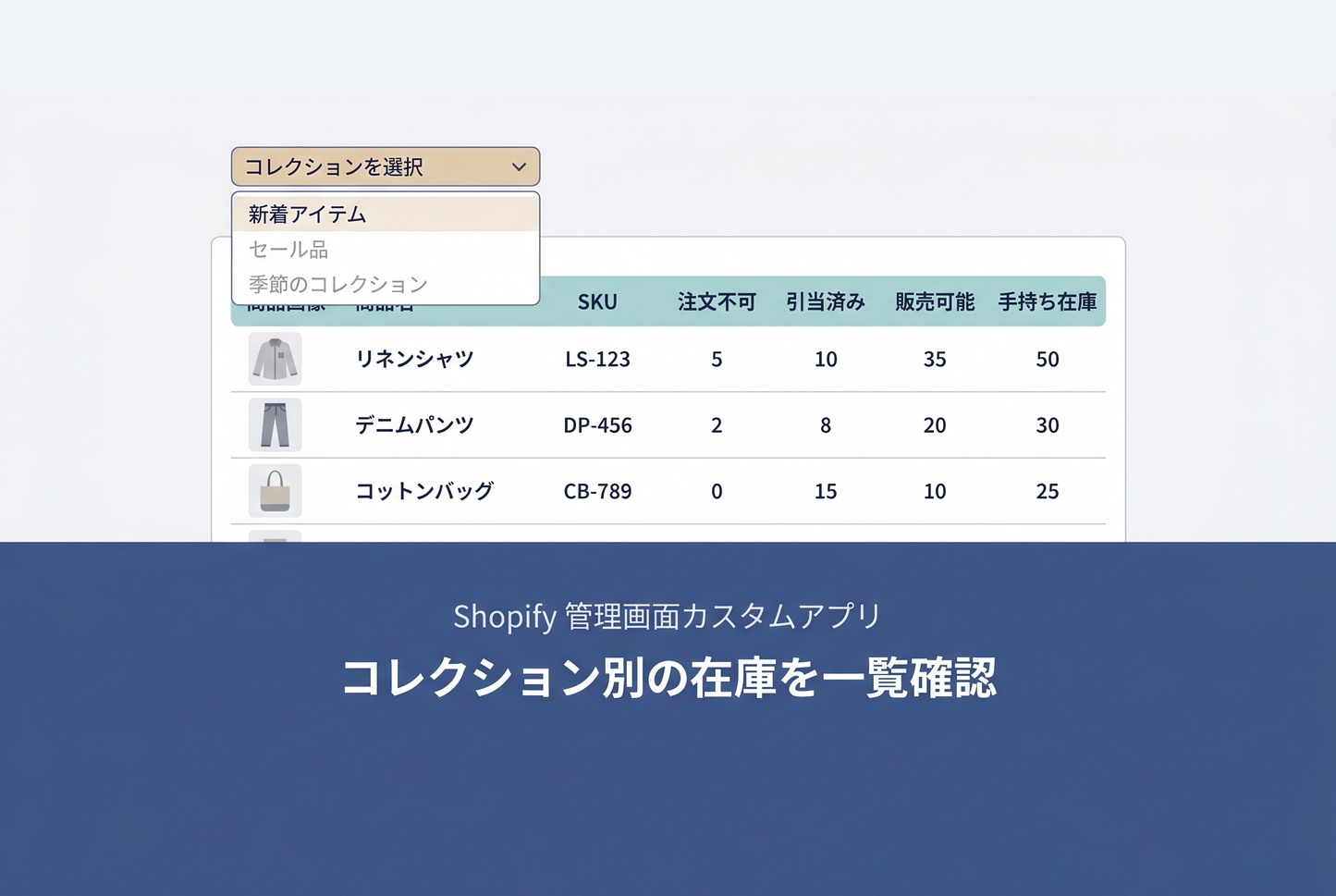
Shopify's built-in inventory page doesn't support filtering by collection, making collection-based inventory checks a cumbersome task. This custom app is a Shopify Admin UI extension that lets you select a collection from the product index page and instantly view inventory quantities per variant — unavailable, committed, available, and on-hand — all in a single table.

Features
- Select from up to 1,000 collections
- Per-variant inventory breakdown: Unavailable / Committed / Available / On-hand
- Product name search/filtering
- Sortable column headers
- Pagination (50 items per page)
- Manual refresh button to reload latest inventory
How to create the app with Sidekick
- Copy the instruction prompt (PROMPT.md) shown after purchase
- In Shopify Sidekick, click "+" → select "Generate app", then paste the prompt

- Preview the app Sidekick created, and install it if everything looks good

![[MetaSync] Hide Extra Sign-up Form Fields Behind an Expand Button to Reduce Form Friction](http://store-dojo.com/cdn/shop/files/2026-09-08_en.png?v=1788839371&width=533)

